

Microsoft’s Local Group Policy Object (LGPO) utility is a standalone command-line executable that assists administrators in automating the management of a computer’s local security policy. The tool uses a combination of Group Policy Template (GptTmpl.inf) files, Registry Policy (registry.pol) files, and Audit Policy (audit.csv) files to apply desired configuration settings to targeted endpoints. In this article, you will learn how to use Microsoft’s LGPO utility to baseline a Windows 10 system configuration using DISA’s Group Policy Objects (GPO).
This article is meant to convey information that teaches you how to baseline the configuration of a Windows 10 system using DISA GPOs. If you’d like to follow along with any of the demonstrations, you will need the following:
Proceed with Caution!
The commands that are used in this article will apply configuration changes to the target computer. It is recommended that the commands within this article are run on a test system or a virtual machine. The examples provided throughout this tutorial were generated using Windows Sandbox.
LGPO.exe functions as a standalone executable program that can be run directly from the command-line. LGPO.exe does not install additional software on your system to perform its tasks. LGPO.exe has four (4) core modes:
Additional information on how to use the LGPO utility can be found within the LGPO.pdf file that comes embedded within the LGPO.zip download.
The LGPO utility is part of Microsoft’s Security Compliance Toolkit. To download the LGPO bundle:

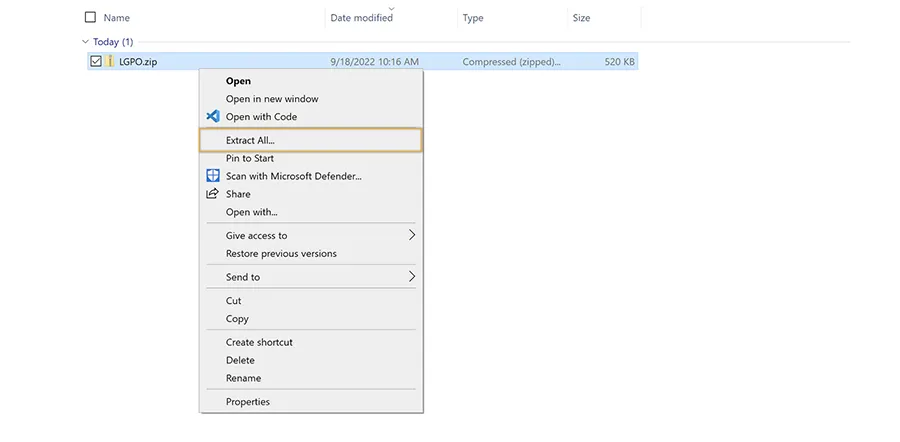
DISA packages preconfigured Group Policy Object (GPO) templates to assist with the STIG implementation process. To download DISA’s GPO bundle:

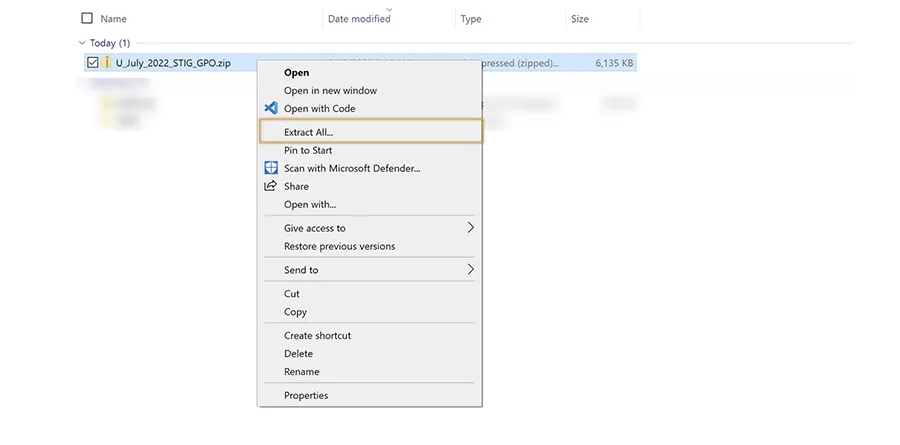
If you want to follow along, please use the following steps to mirror the setup of the system that was used to create this article:


Nice job! Your system is ready to go! In the next section, you will use LGPO to back up your system’s current configuration.
Before applying a new policy, it is best practice to create a backup of your system’s current configuration. LGPO enables this functionality with the /b switch:
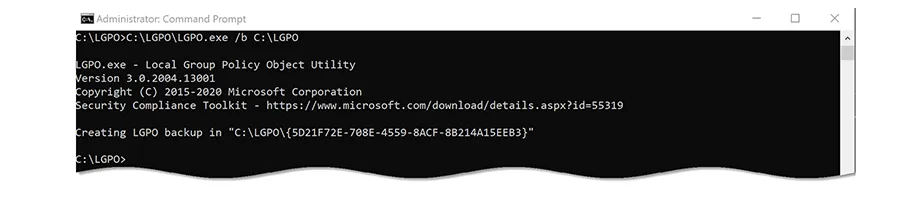
Great work! The configuration backup process is now complete! If you’re following along, your configuration backup will be stored in C:\LGPO.
In the next section, you will baseline the configuration of your Windows 10 system using DISA GPOs.
Now that you’ve obtained a backup of your system’s local policy, it is time to apply the new configuration. You can import settings from one or more GPOs using LGPO’s /g switch:
NOTE: DISA’s Windows 10 GPO contains placeholders that require organization-specific values for the following User Rights Assignments:
Insert your custom values before or after executing the commands identified below.

NOTE: If the aforementioned organization-specific User Rights Assignments were not modified within C:\LGPO\DoD Windows 10 v2r4\GPOs\{AD8929AD-5491-4E51-A04E-6588E76D85B6}\DomainSysvol\GPO\Machine\microsoft\windows nt\SecEdit\GptTmpl.inf prior to executing the script, LGPO would report the following error:

This error can be ignored if received.
Congratulations! You’ve successfully applied the DoD Windows 10 GPO to your system!
This blog post taught you how to backup local policy configuration and apply a new configuration using DISA’s DoD Windows 10 GPO! What else can you automate using LGPO? Run LGPO.exe with the /? switch to find out! Apply Configuration With Microsoft’s LGPO Utility.